
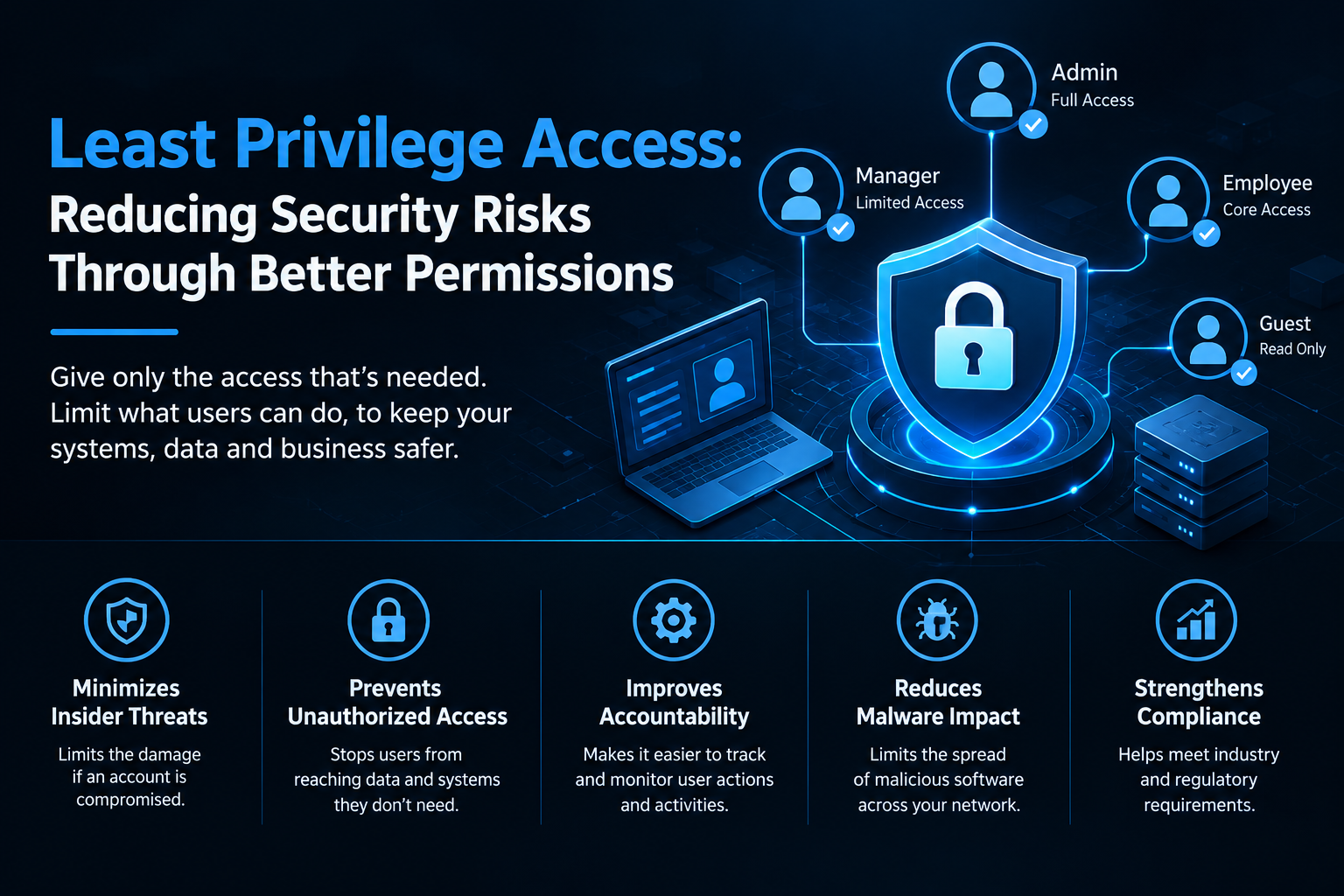
Least Privilege Access: Reducing Security Risks Through Better Permissions
Introduction
Protecting business systems and sensitive information is an important part of modern IT security. One effective way to reduce security risks is to follow the principle of least privilege, which means giving users only the permissions they need to perform their assigned tasks.
When employees have unnecessary access to applications, databases, or administrative tools, a compromised account can create serious security problems. Limiting permissions helps reduce unauthorised access, minimise potential damage, and improve overall security management.
Businesses looking to strengthen their IT infrastructure can explore https://www.rashicore.com/itsoftware.php for more information about IT and software solutions.
1. Understand the Principle of Least Privilege
The principle of least privilege ensures that each user, application, and system account receives only the access required for its specific responsibilities.
For example, an employee who works with customer records may need permission to view and update those records but should not automatically receive administrative access to the entire database.
Applying this principle reduces unnecessary permissions and helps organisations maintain better control over their digital resources.
2. Identify Users and Their Access Requirements
Before assigning permissions, organisations should understand the responsibilities of each employee and the systems they use.
IT teams can create an inventory of user accounts, applications, databases, shared folders, and administrative privileges. They should then compare existing access rights with actual job requirements.
This review helps identify excessive permissions, inactive accounts, and access rights that are no longer necessary. A clear access inventory also makes future security reviews easier to manage.
3. Apply Role-Based Access Control
Role-Based Access Control (RBAC) allows organisations to assign permissions according to job roles rather than managing every user individually.
For example, finance employees may need access to financial applications, while software developers may require access to development environments. Administrative permissions should be restricted to authorised personnel who genuinely need them.
RBAC simplifies permission management and supports consistent access policies across teams. Businesses can also review their IT requirements through https://www.rashicore.com/itsoftware.php.
4. Protect Privileged Accounts
Privileged accounts have elevated permissions that allow users to configure systems, manage other accounts, or access sensitive information. If these accounts are compromised, attackers may gain significant control over business infrastructure.
Organisations should limit the number of privileged accounts and avoid using administrator accounts for routine activities. Separate administrative accounts, multi-factor authentication, and secure credential storage can provide additional protection.
Privileged access should also be monitored carefully to identify unusual activities and reduce the risk of misuse.
5. Review and Remove Unnecessary Permissions
Employee responsibilities change over time, and access rights should change accordingly. When employees move between departments, leave the organisation, or stop using particular applications, their permissions should be reviewed.
Regular access reviews help identify outdated privileges, inactive accounts, and permissions that no longer serve a business purpose.
Organisations should also establish a clear process for removing access when employees leave. This reduces the possibility of former users retaining access to company resources.
6. Implement Multi-Factor Authentication
Multi-factor authentication (MFA) requires users to verify their identity through an additional authentication method. This can help protect accounts even when passwords have been stolen.
MFA is particularly important for administrator accounts, remote access, cloud platforms, and applications containing sensitive business information.
Although MFA does not replace least privilege, combining both measures provides stronger protection by limiting permissions and making unauthorised account access more difficult.
7. Monitor Access and Maintain Audit Logs
Monitoring access activity helps organisations understand how accounts and systems are being used. Audit logs can record login attempts, permission changes, administrative actions, and access to sensitive resources.
IT teams should review these records for unusual behaviour, such as unexpected privilege escalation, repeated failed logins, or access outside normal work patterns.
Automated alerts can help security teams investigate suspicious activities promptly. Maintaining reliable logs also supports incident investigation and internal security audits.
8. Automate Permission Management
Managing permissions manually becomes more complicated as an organisation grows. Automated identity and access management tools can help streamline account creation, role assignment, access reviews, and account removal.
Automation can reduce manual errors and help ensure that access changes are completed consistently. However, automated processes should be configured carefully and reviewed periodically to prevent incorrect permissions from being assigned.
For additional information about business IT capabilities, visit https://www.rashicore.com/itsoftware.php.
Conclusion
Least privilege access is an important security practice for organisations that want to protect sensitive information and reduce unauthorised access. By assigning permissions according to job responsibilities, securing privileged accounts, reviewing access rights, and monitoring system activity, businesses can improve their security posture.
Combining least privilege with multi-factor authentication, role-based access control, and automated access management helps create a more controlled and resilient IT environment.
For more information about IT and software solutions, visit https://www.rashicore.com/itsoftware.php.
Need Better Privileged Access Protection?
Need to improve access control across your business systems? Start by reviewing user permissions, restricting administrative privileges, and establishing regular access audits to reduce unnecessary security risks.
Visit Website
Explore IT and software solutions at https://www.rashicore.com/itsoftware.php.
 UK
UK
 USA
USA
 UAE
UAE
 Canada
 Australia
 Germany
 Singapore
 Netherlands